


JAMB Profile Creation 2020/2021 – How to Create JAMB Profile without Errors: If you have been searching for JAMB Profile Creation 2020/2021 | Create JAMB Profile In 5 Minutes Without Errors, jamb profile creation 2020, jamb profile confirmation code, jamb result, www.jamb.org.ng 2020, jamb reprint, jamb 2020, jamb admission status, www.jamb.org.ng portal, then you are in the right place.
Jamb Profile creation is as easy as A,B,C if you know exactly how to go about it. This JAMB profile creation resulted after the last JAMB CBT update.
Since JAMB completely got rid of the paper type examination which was considered to have a lot of inconsistencies, JAMB switched to Computer Based Test (CBT). In view of the present day realities, nothing is done offline anymore. To test the viability, uniqueness and speed of anything right now, it has to be online.
However, the JAMB profile creation was not the only change we have witnessed in JAMB so far. Also, there has been other developments on the JAMB registration and admission processes. Before you and I head to creating a JAMB profile, lets take note of the following.
- It is advisable to use high end mobile devices or computer system to create your profile.
- If you opt for mobile device as advised above, DO NOT USE OPERA MINI. This is because at times, opera mini doesn’t load some fields such as the Local Government Area.
- Ensure you log in to your profile. Observe the profile very well to make sure there are no errors before proceeding to get the E-pin.
- Make sure you use the same email used to create profile to get the JAMB E-pin.
- Fill in the details correctly. Enter you surname and other names. Ensure the names are consistent.
- If you discovered a mistake already in step 3, there are two things involved; It is either
- You wait for JAMB to announce correction of details on JAMB account
- You create a new JAMB account
NOTICE:- Notice I said you should wait to observe your profile before proceeding to get the JAMB E-pin.
Waiting For JAMB To Announce Correction Of Details
JAMB is aware that a lot of mistakes can be made during the JAMB profile creation. Therefore, they usually announce the correction of details on JAMB profile. If you made any mistake during your profile creation, this is one way to correct it.
IMPORTANT:- However, if you did not observe step 3 and have already gotten your JAMB E-pin, the only way is to wait for JAMB to announce the correction of details on your account.
Create A New JAMB Account
If of course, you have not done any registration or requested for the JAMB E-PIN. In order words, you took step 3 into practice, the best option to correct your mistake is to create another JAMB profile.
WARNING:- To clear the air, when JAMB said you should not create more than one account, they meant you should not register JAMB or write the exam with more than one profile.
To avoid stories that touch the heart, ensure you correct any mistake in your profile before proceeding to get the JAMB E-PIN.
JAMB Profile Creation
JAMB candidates as a matter of compulsion are now required to create JAMB profile before application. Furthermore, the JAMB official website and registration methods are all different now. You have to first create a JAMB profile in JAMB portal before proceeding to get the JAMB E-PIN. Afterward, you can now be allowed to do your registration.
You cannot play down on the importance of JAMB profile creation as the following will be completely accessible through your JAMB profile.
- Examination centre
- Status accessment
- Result printing
Having said much, let you and go through the creation of a UNIQUE and STANDOUT JAMB profile.
HOW To Create JAMB Profile

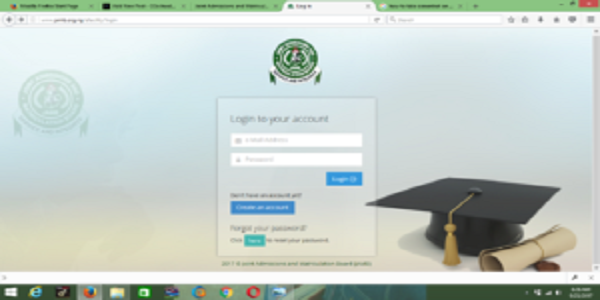
- Go to JAMB official website at www.Jamb.org.g/efacility/login
- If you don’t have an account as shown in the screenshot above, then create one.

- A new page emerges. Enter your valid email address and other details and click on verify

- Log into your email to verify the email sent you as shown in the screenshot above. If you do not find the email in your email folder, then check your spam folder. If it doesn’t appear still, then just be patient.

- Click the link on your email and fill in your details. Your surname, first name and middle name, gender, DOB, phone, state of origin, email and password will be required as shown below

- Then sign up and login to view your profile. Observe your profile as stated in step 3 earlier to ensure there are no errors.
- You should get a message like the one below

As you can see, you and I have successfully created a JAMB profile. Goodluck.